SmArtist Macros 2
SMS Macros V2 is a Blender extension that records, organises, and replays any sequence of operations, property changes, and asset appends — turning complex, multi-step workflows into a single click.
Unlike basic macro recorders, SMS Macros V2 gives you genuine flexibility: store default, minimum, and maximum values for built-in randomisation on recall, bundle assets into companion .blend files that travel with your presets, and keep everything neatly structured with categories and subcategories.
From render pipelines and custom themes to Edit Mode operations and addon presets — if Blender can do it, SMS Macros can automate it.
Download
Send us a mail to enquire about current pricing, purchase method, or any other queries about this product.
Key Features
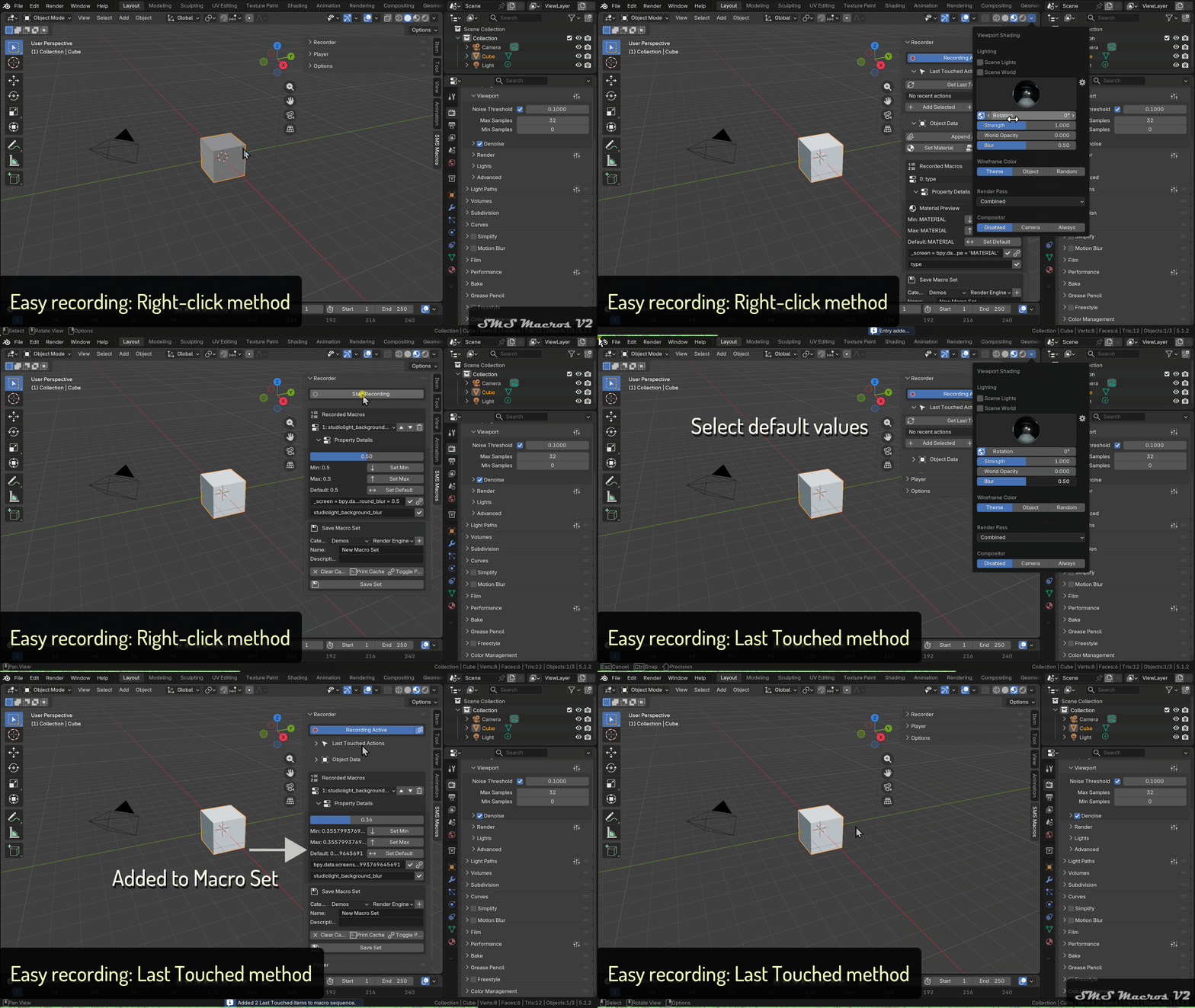
Two recording methods.
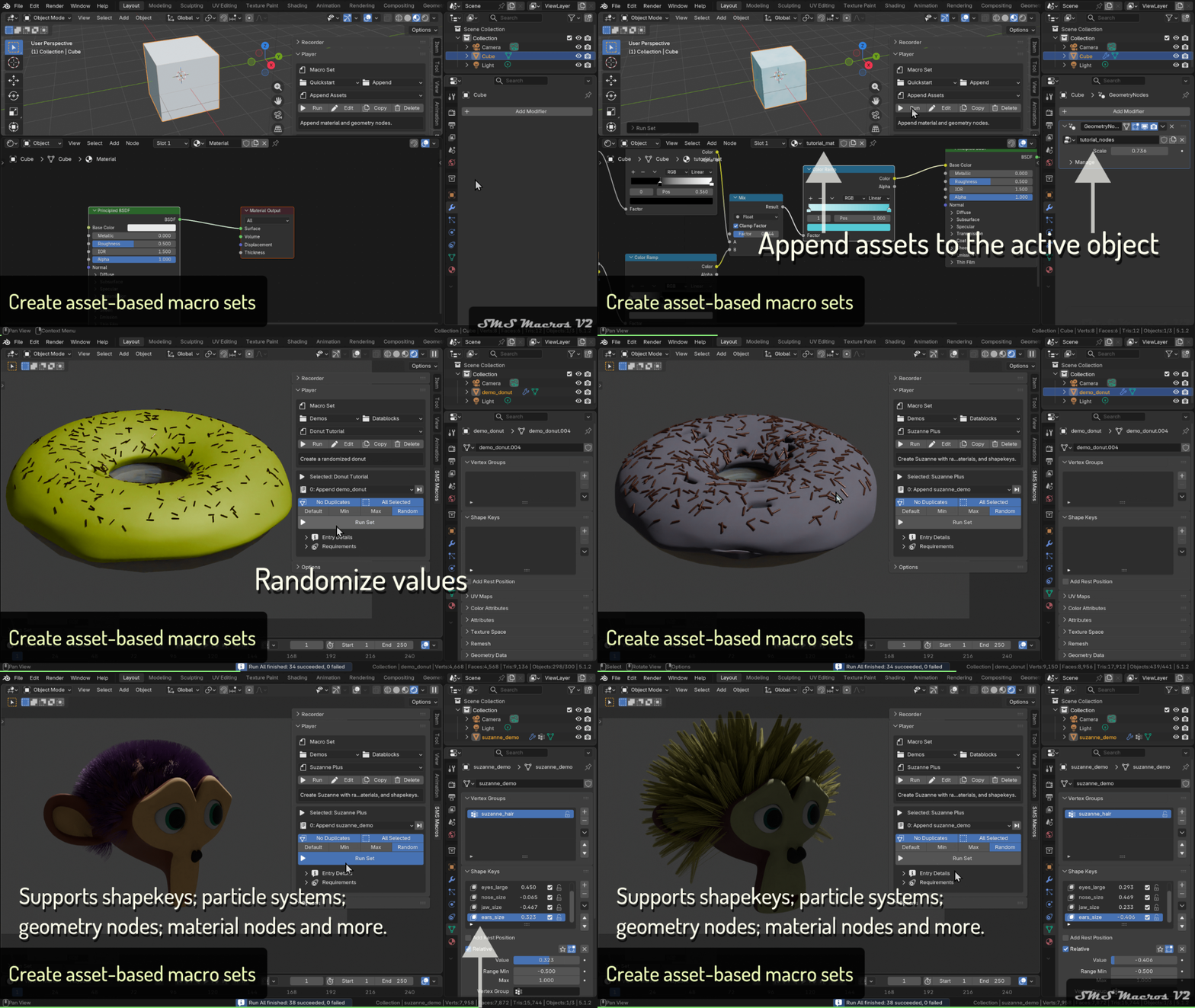
Record asset macros that append to active object or scene.
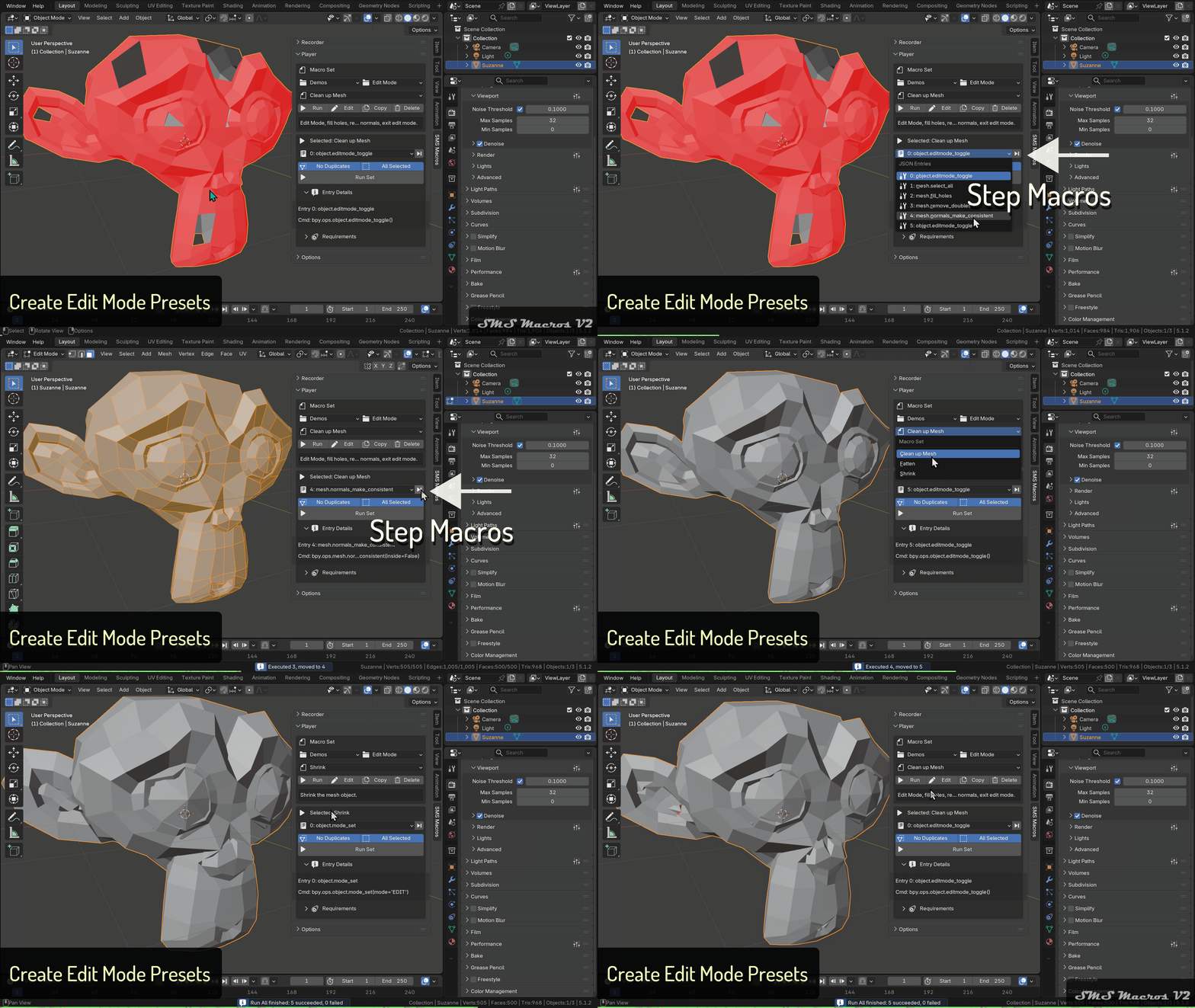
Record and play back advanced edit mode operations on meshes.

Save custom addon sets.
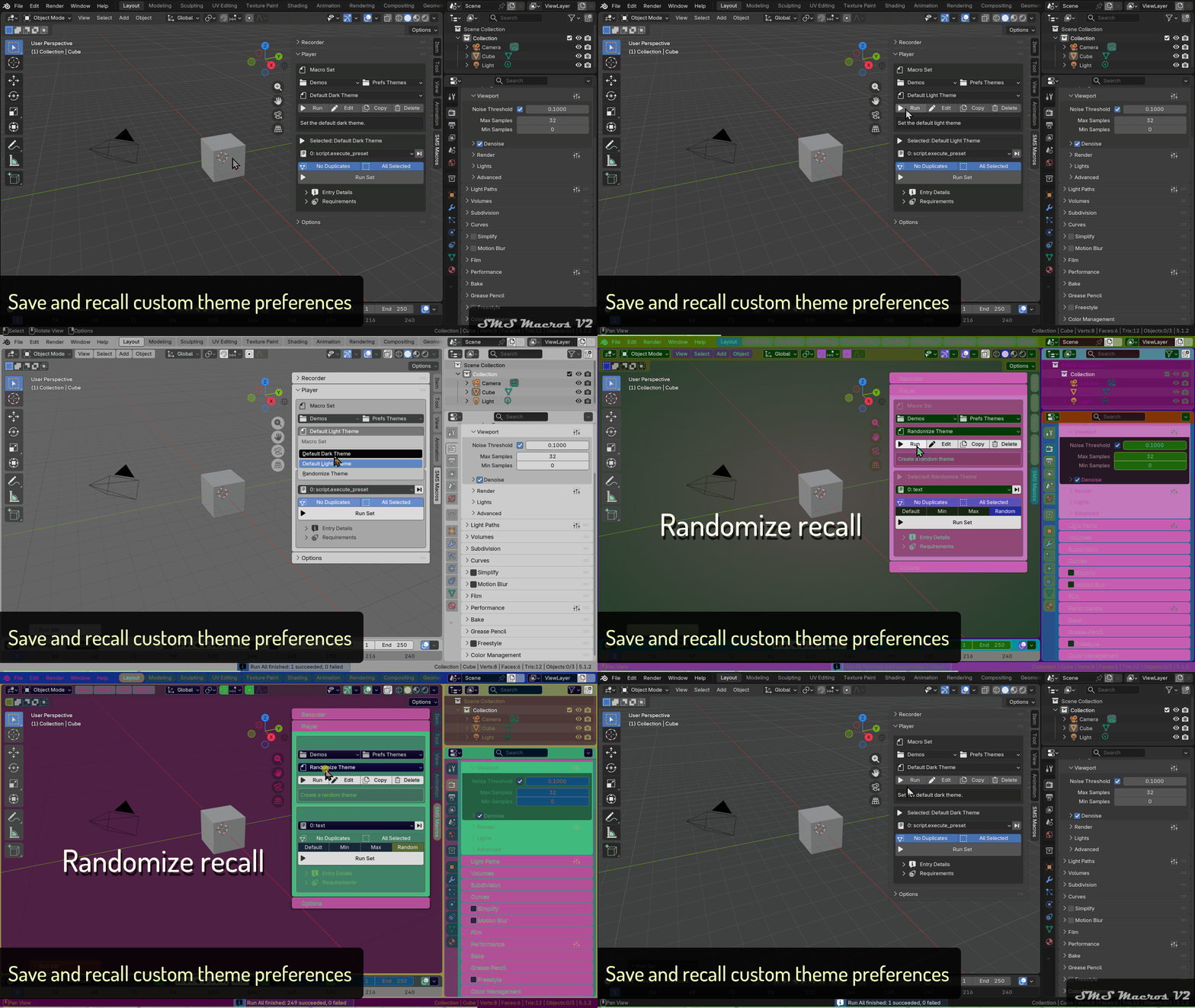
Record custom theme preferences.
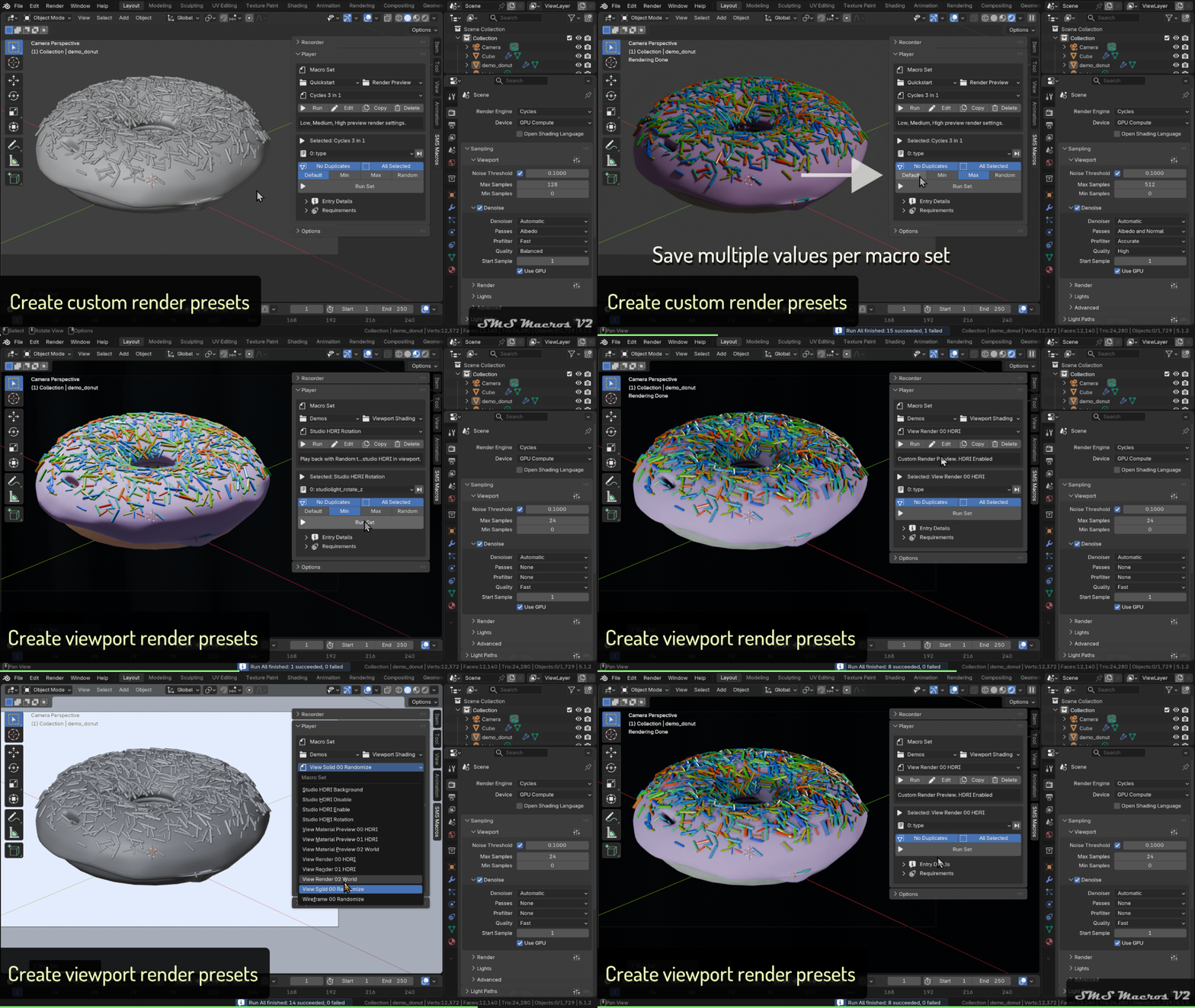
Record custom render setups.
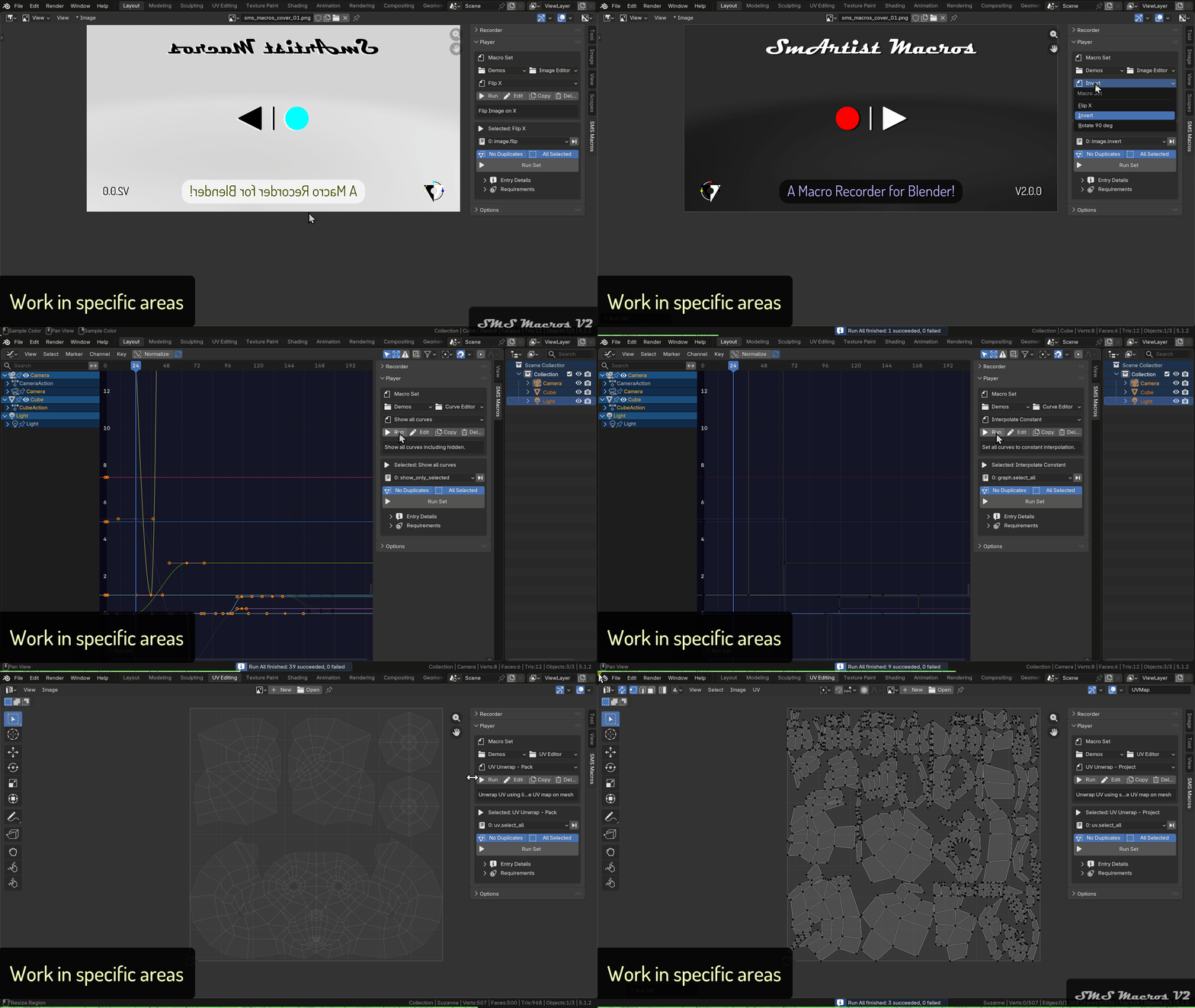
Create Area specific macro sets.
Record anything – Right‑click any button or property in Blender’s interface to instantly add it as a macro entry. Covers operators, property assignments, materials, Geometry Nodes assignments, asset appends, node groups (shader, geometry, compositor), modifiers, render settings, view settings, object data, and more.
Last Touched actions – Scrape the Info area to capture recent operations and add them to your macro set in one click.
Smart value handling – Store default, minimum, and maximum values for any property entry. On recall, choose between Default, Min, Max, or Random for effortless variation and procedural flexibility.
Asset management – Append datablocks from .blend files directly into your macro set, including material and Geometry Nodes assignments. Optionally bundle all referenced assets into a companion .blend that travels with your preset — no broken links, no manual re-pathing.
Organised presets – Macro sets are saved as portable JSON files in a user‑defined folder. Structure them with categories and subcategories for a clean, scalable library.
Full editing control – Rename entries, edit Python commands, adjust value ranges, toggle between absolute (
bpy.data) and relative (bpy.context) paths, and duplicate, delete, or re‑path companion .blend files — all without leaving the extension.No duplicates mode – Prevent redundant modifiers, materials, or objects from being created when replaying a set.
Run on all selected objects – Apply any macro set across every selected object simultaneously for maximum efficiency.
Debug & legacy support – Console debug output for easy troubleshooting, plus one‑click import of legacy V1 macro sets (.blend texts) into the new JSON format.


Note
SMS Macros V2 has been developed and tested across a wide range of Blender workflows; however, not all of Blender’s features and operators have been fully tested. Behaviour may vary depending on your Blender version, active extensions, or specific use case. If you encounter any issues, please report them by getting in touch.
Documentation
Full documentation is available on our documentation sub-domain here.